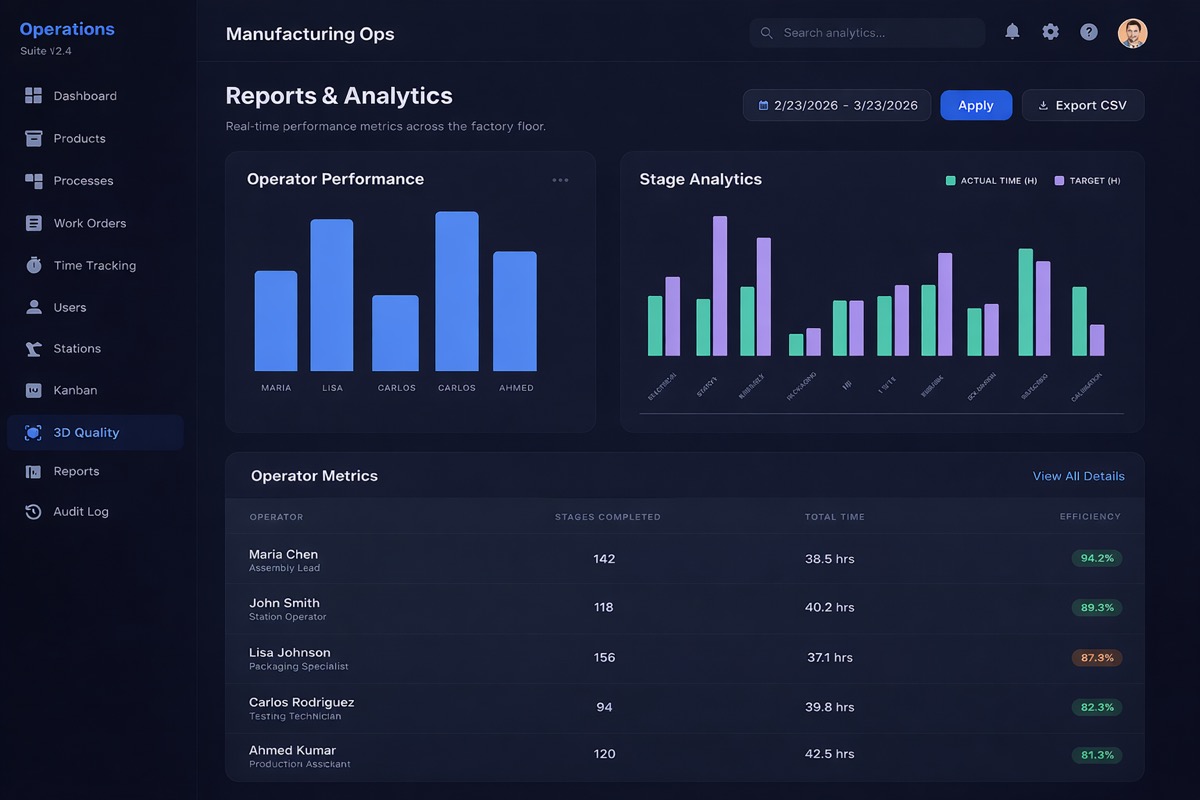
🔬 3D Quality Analysis
Enterprise-grade 3D quality inspection
Upload 3D models or import CAD files for real-time inspection. Quality checks categorized as Pass, Warning, Fail, and Pending — with high-resolution Point Cloud scanning.
- ✓ Upload 3D Model or Import CAD File — supports all major manufacturing formats
- ✓ Quality Summary donut — visual breakdown of Pass, Warning, Fail, and Pending checks
- ✓ Real-time inspection active — high-precision Point Cloud scanning
- ✓ Multiple assets: Test - 3D Model, Water Bottle, Robot Arm — manage all in one place


Step 1 — Analysing
🤖 Automated Visual Inspection
Automated Visual Inspection System
A computer vision–powered solution that verifies structural integrity in real time by comparing physical components against a predefined digital model.
- ✓ Live Scanning — Captures the object using a camera feed
- ✓ Model Alignment — Overlays reference geometry for precise comparison
- ✓ Component Verification — Detects presence and position of holes, bolts, and fittings
- ✓ Defect Detection — Instantly flags missing or misaligned parts
- ✓ Real-Time Feedback — Visual indicators (✓ / ✕) for quick decision-making
Outcome: Faster inspections, reduced human error, and consistent quality assurance across manufacturing workflows.
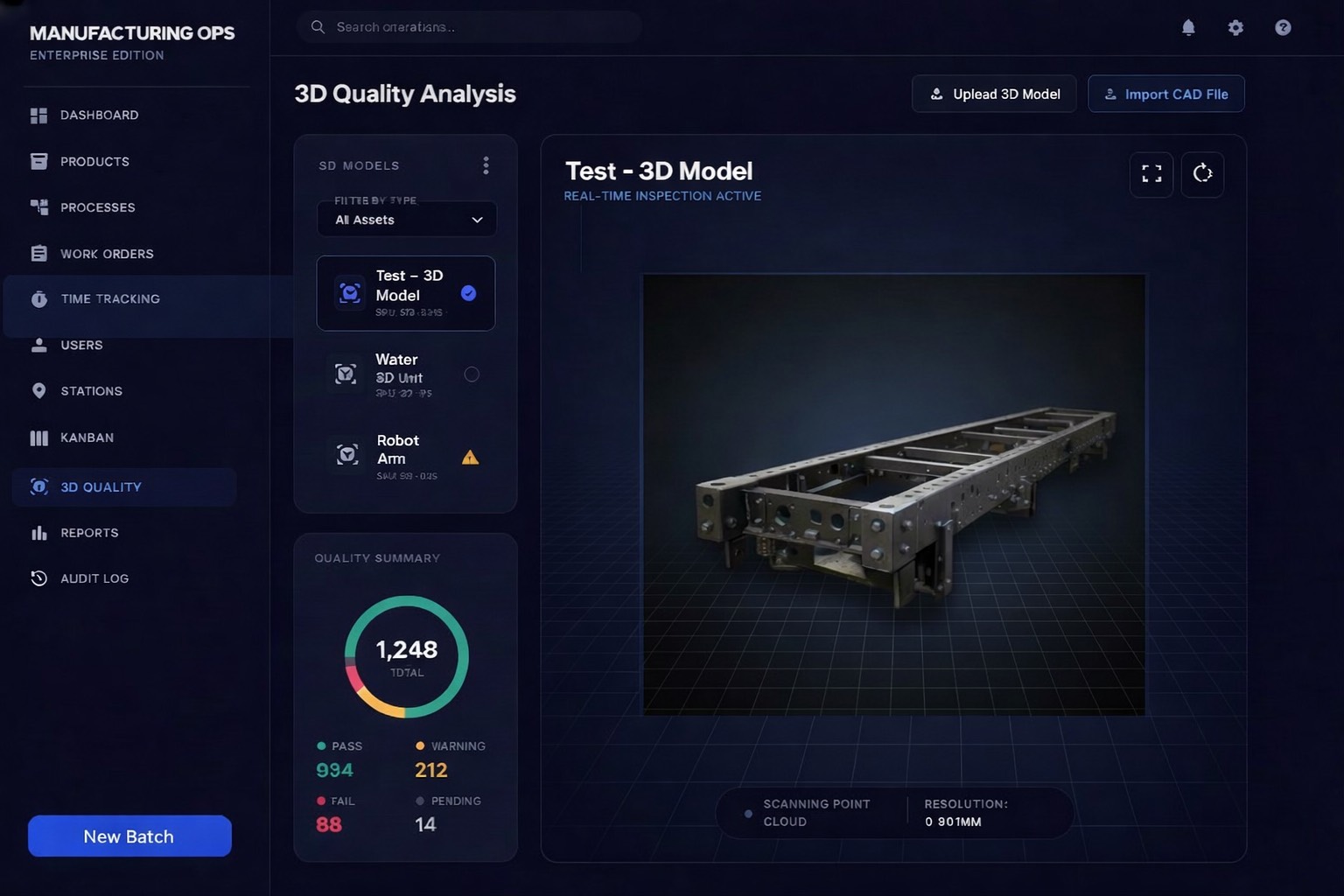
📊 Live Dashboard
Your entire operation at a glance
The moment you log in, see everything — active work orders, operators on the floor, completions today, and average efficiency. Live donut chart, operator status table, and real-time stage tracking — all on one screen.
- ✓ KPI tiles: Total work orders, active operators, completed today, avg efficiency
- ✓ Live donut chart — work orders split by In Progress, Pending, Completed, Delayed
- ✓ Live stage status table — operator avatars, WO links, stage, elapsed time, station
- ✓ Filter View and Export Data — built right into the dashboard header
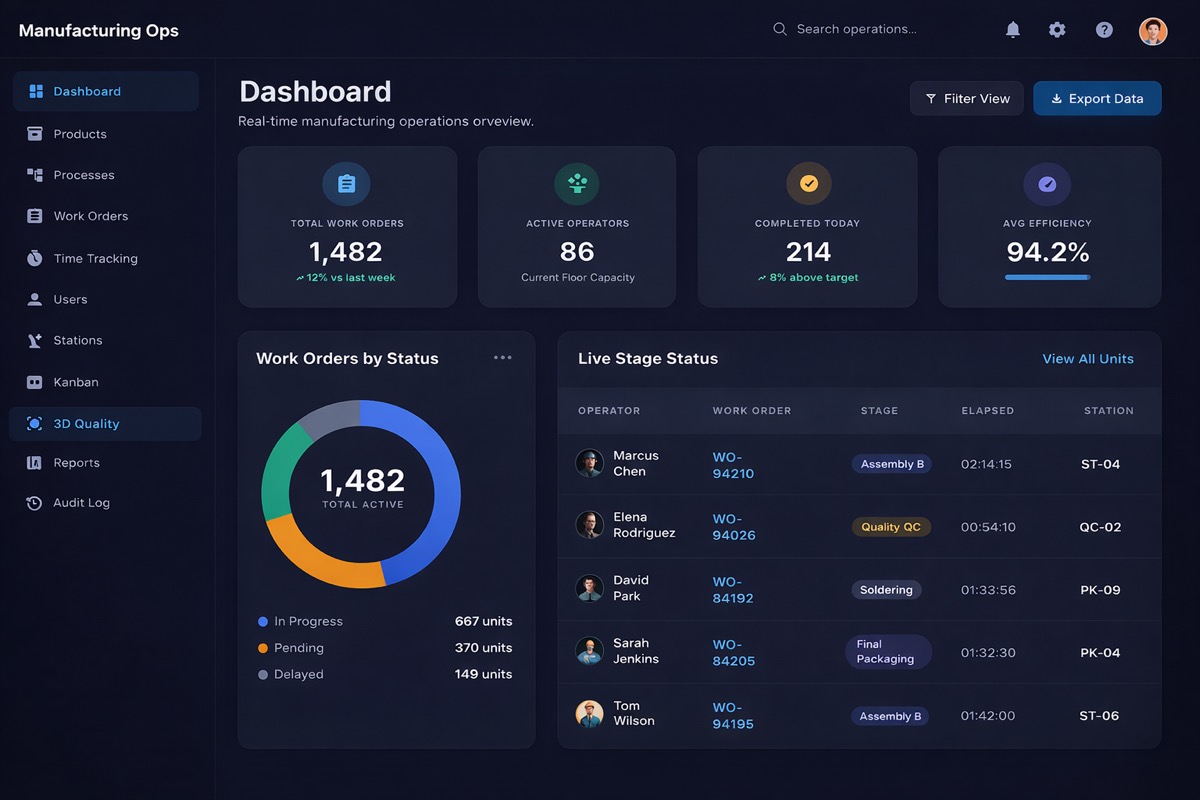
📦 Product Catalogue
Every product you manufacture, organized
Maintain a clean product catalogue with product icons, SKU numbers, and detailed descriptions. All your products — searchable, paginated, and linked to your manufacturing processes.
- ✓ Product icons, names, SKU numbers and descriptions in a clean table
- ✓ Fully paginated product list — scales to any catalogue size
- ✓ Add Product in one click — no setup wizard needed
- ✓ Linked to processes for automatic stage assignment on every work order
🔧 Process Designer
Standardize every product line
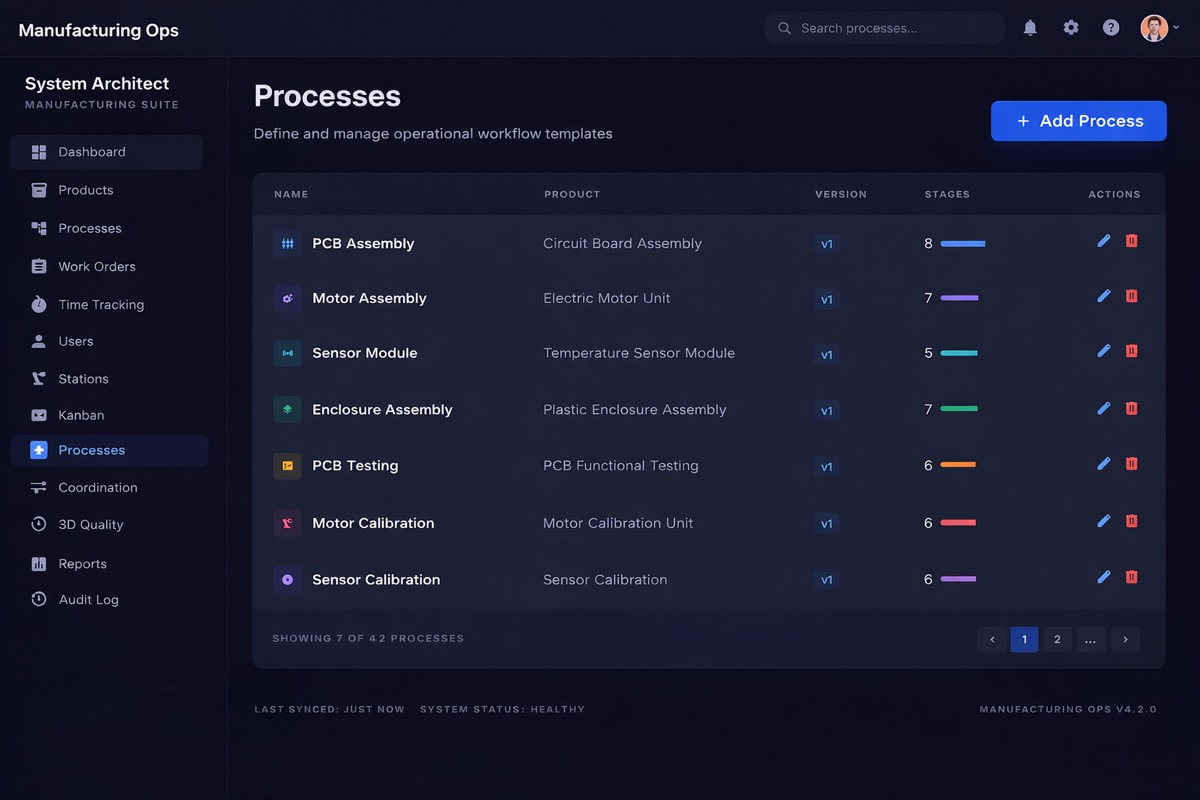
Design manufacturing processes with ordered stages, color-coded progress bars, and version control. All your processes in one place — each linked to a product and versioned for full traceability.
- ✓ Color-coded stage progress bars — instantly see completion status per process
- ✓ Manage all your processes — PCB Assembly, Motor Assembly, and more with multi-stage workflows
- ✓ Version control — v1, v2 — update without losing history
- ✓ System status always visible — Last synced timestamp and current version info
📋 Work Orders
From draft to done — every order tracked
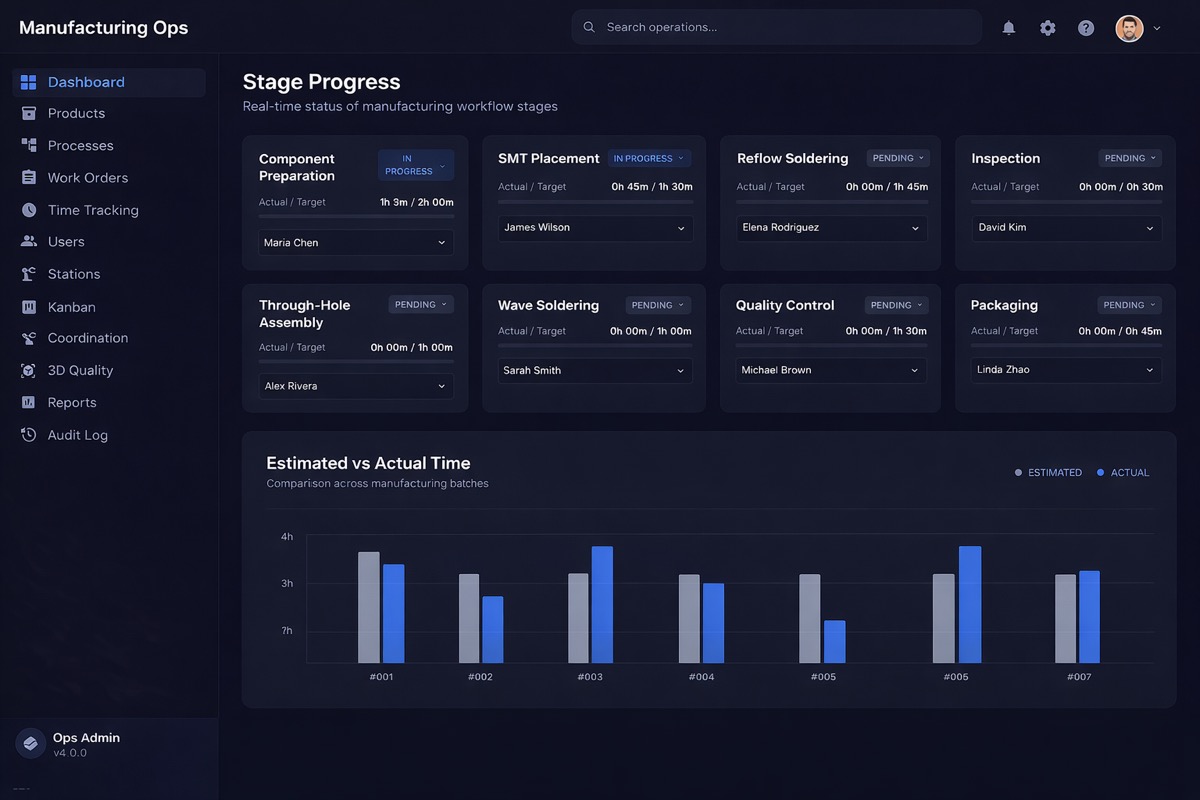
Full work order lifecycle with stage-by-stage breakdowns, operator assignments, and alert indicators. See actual vs. target time per stage — instantly spot which orders are on track and which need attention.
- ✓ Stage cards: Stator Winding, Rotor Assembly, Housing Prep, Final Assembly, and more
- ✓ Actual vs Target time per stage — green for on track, red for over target
- ✓ Alert indicators — ⚠ flags stages that exceed target automatically
- ✓ Complete Order button + Export Report — right at the bottom of every WO
👥 User Management
Orchestrate your team and access controls
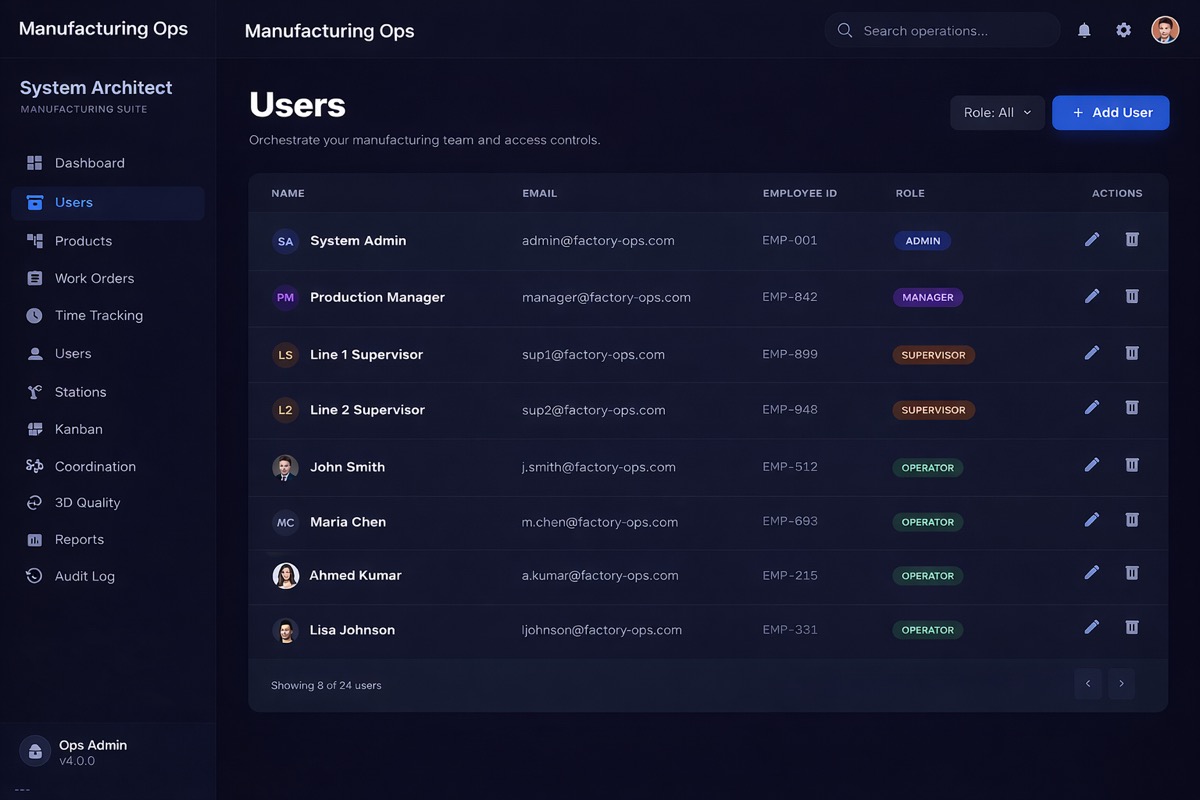
Manage your entire team across Admin, Manager, Supervisor, and Operator roles. Real employee photos, IDs, and emails — filter by role and add new users in seconds.
- ✓ Multiple roles: Admin, Manager, Supervisor, Operator — each with tailored permissions
- ✓ Real employee photos, names, emails, and IDs — not just initials
- ✓ Paginated user list — scales to your entire workforce
- ✓ Filter by Role dropdown + Add User button — manage access in seconds
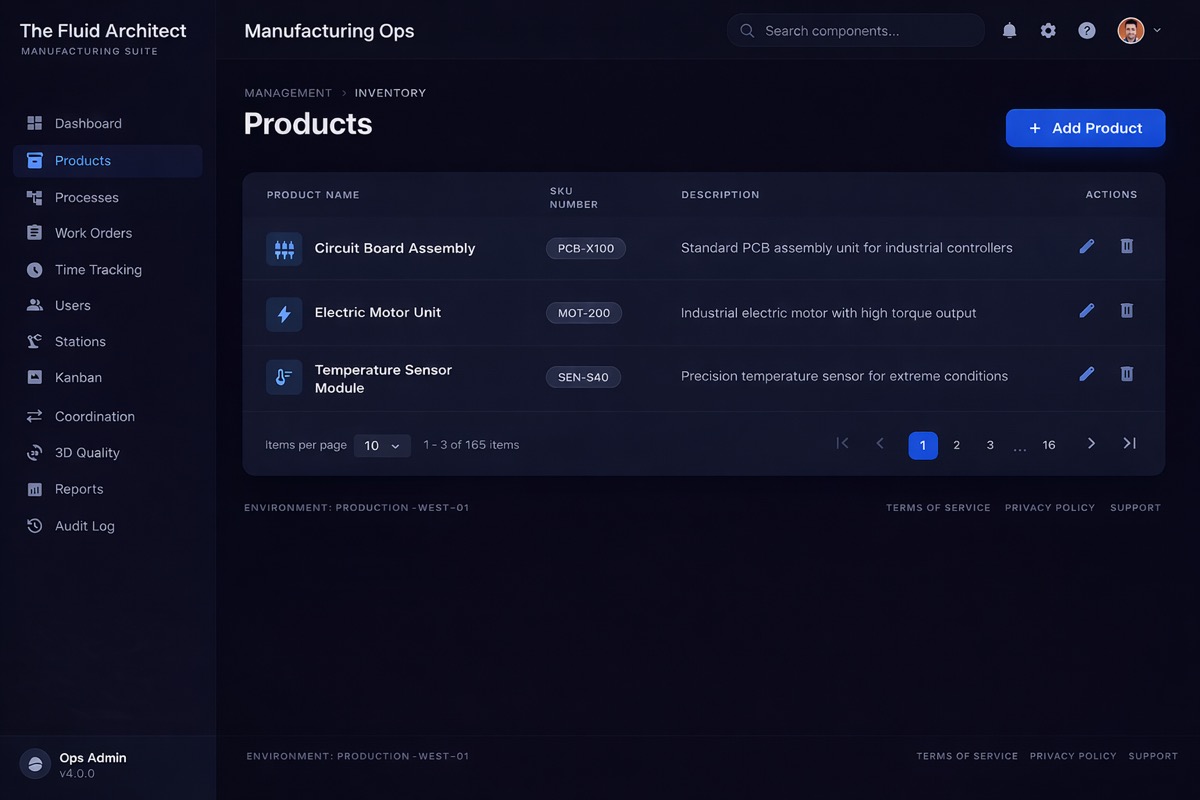
📈 Reports & Analytics
Insights that drive smarter decisions
Operator performance charts, stage analytics, and a full operator metrics table — all in one screen. Filter by date range, export to CSV, and track efficiency trends across your entire team.
- ✓ Operator Performance chart — efficiency percentages for every team member at a glance
- ✓ Stage Analytics — Avg Time vs Target across Electrical, Stator, Assembly, QC, Wave, and more
- ✓ Operator Metrics table — Stages completed, total time, and efficiency % per person
- ✓ Date range filter + Export CSV — select any custom range for your reports